Text Cleanup Transform
Text Cleanup strips selected punctuation, normalizes whitespace, and optionally replaces null values. Its behavior differs between Standard execution (Pandas) and Big Data/AWS Glue execution (PySpark).
Basic Usage
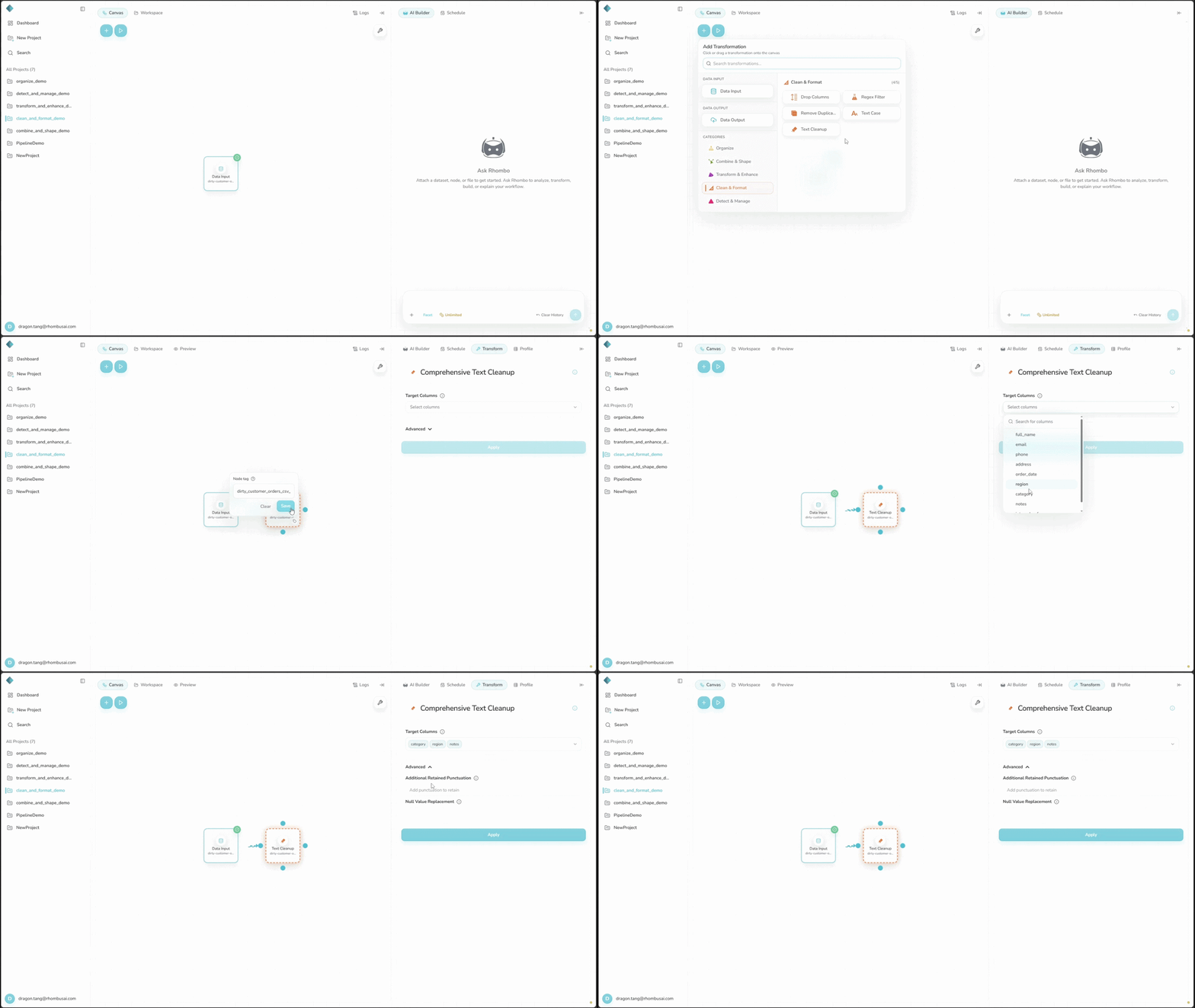
To clean one or more text columns:
- Select Text Cleanup from the transform menu.
- Choose the text columns to clean.
- If needed, enter punctuation to keep and a replacement for null values.
- Select Apply.
Configuration Options
Basic Options
- Select Columns: Choose one or more text columns. The list includes only string (object) and categorical columns.
Advanced Options
- Additional Retained Punctuation: Enter punctuation to keep, such as
!?,. Standard execution keeps some characters by default; Glue follows a different removal rule. - Null Value Replacement: Enter the value to use for nulls. Leaving this field empty produces different results in Standard and Glue execution.
Execution Mode Differences
| Behavior | Standard execution (Pandas) | Big Data/AWS Glue execution (PySpark) |
|---|---|---|
| Emojis | Keeps emojis as written; it does not convert them to words. | Removes emojis as symbols; it does not convert them to words. |
| Empty retained-punctuation field | Always keeps / - _ & @ . ! % and removes other standard ASCII punctuation. | Keeps regex word characters and whitespace, including underscores, and removes punctuation and symbols. |
| Retained punctuation provided | Keeps the entered characters in addition to the eight characters that Standard execution always preserves. | Keeps ASCII letters, digits, whitespace, and the entered characters; it removes everything else. |
| Empty null replacement | Leaves null values and values emptied by cleanup unchanged. | Replaces null values with an empty string. |
| Non-empty null replacement | Replaces null values and values emptied by cleanup. | Replaces null values only. Values emptied by cleanup remain empty. |
| Row limit | Rejects datasets with 100,000 rows or more. | Does not enforce the 100,000-row limit used by Standard Text Cleanup. |
For text columns containing mostly number-like values, Standard execution may also keep commas to protect formatted numbers.
Switching between Standard and Big Data/AWS Glue can change the cleaned values. Review the table before you change execution mode.
Examples
Both examples use Standard execution (Pandas).
Example 1: Cleaning Product Reviews
Input Dataset:
| Review Text | User Name | Rating |
|---|---|---|
| Awesome 😍!!! | john123 | 5 |
| Not bad at all. 😐 | jane_doe | 4 |
| Terrible product 😡 | null | 1 |
Configuration:
- Select Columns:
Review Text,User Name - Additional Retained Punctuation:
!. - Null Value Replacement:
Anonymous
Result:
| Review Text | User Name | Rating |
|---|---|---|
| Awesome 😍!!! | john123 | 5 |
| Not bad at all. 😐 | jane_doe | 4 |
| Terrible product 😡 | Anonymous | 1 |
Example 2: Cleaning Chat Messages
Input Dataset:
| Message | Sender | Timestamp |
|---|---|---|
| Hi there! 👋 | Alice | 10:00 AM |
| How are you? 🙂 | Bob | 10:01 AM |
| I'm good, thanks! | null | 10:02 AM |
Configuration:
- Select Columns:
Message,Sender - Additional Retained Punctuation:
?! - Null Value Replacement:
Unknown
Result:
| Message | Sender | Timestamp |
|---|---|---|
| Hi there! 👋 | Alice | 10:00 AM |
| How are you? 🙂 | Bob | 10:01 AM |
| Im good thanks! | Unknown | 10:02 AM |
Add meaningful punctuation to Additional Retained Punctuation, keeping the execution-mode defaults above in mind.
Cleanup can remove meaningful characters. Preview the result before passing it downstream.
Best Practices
- Use the same cleanup rules for columns you will compare or combine later.
- Pick an execution mode with downstream use in mind: Standard keeps emojis, while Big Data/AWS Glue removes them.
- Set Null Value Replacement deliberately. An empty field preserves nulls in Standard execution but turns them into empty strings in Glue.